Note
Access to this page requires authorization. You can try signing in or changing directories.
Access to this page requires authorization. You can try changing directories.
Before you can use all the features of ontology (preview), you must enable certain settings on your Fabric tenant. This article describes required and optional tenant settings for using ontology and plan.
Fabric administrators can grant access to these settings in the admin portal under tenant settings.
Ontology item (preview)
This setting is required to create ontology (preview) items: Enable Ontology item (preview).
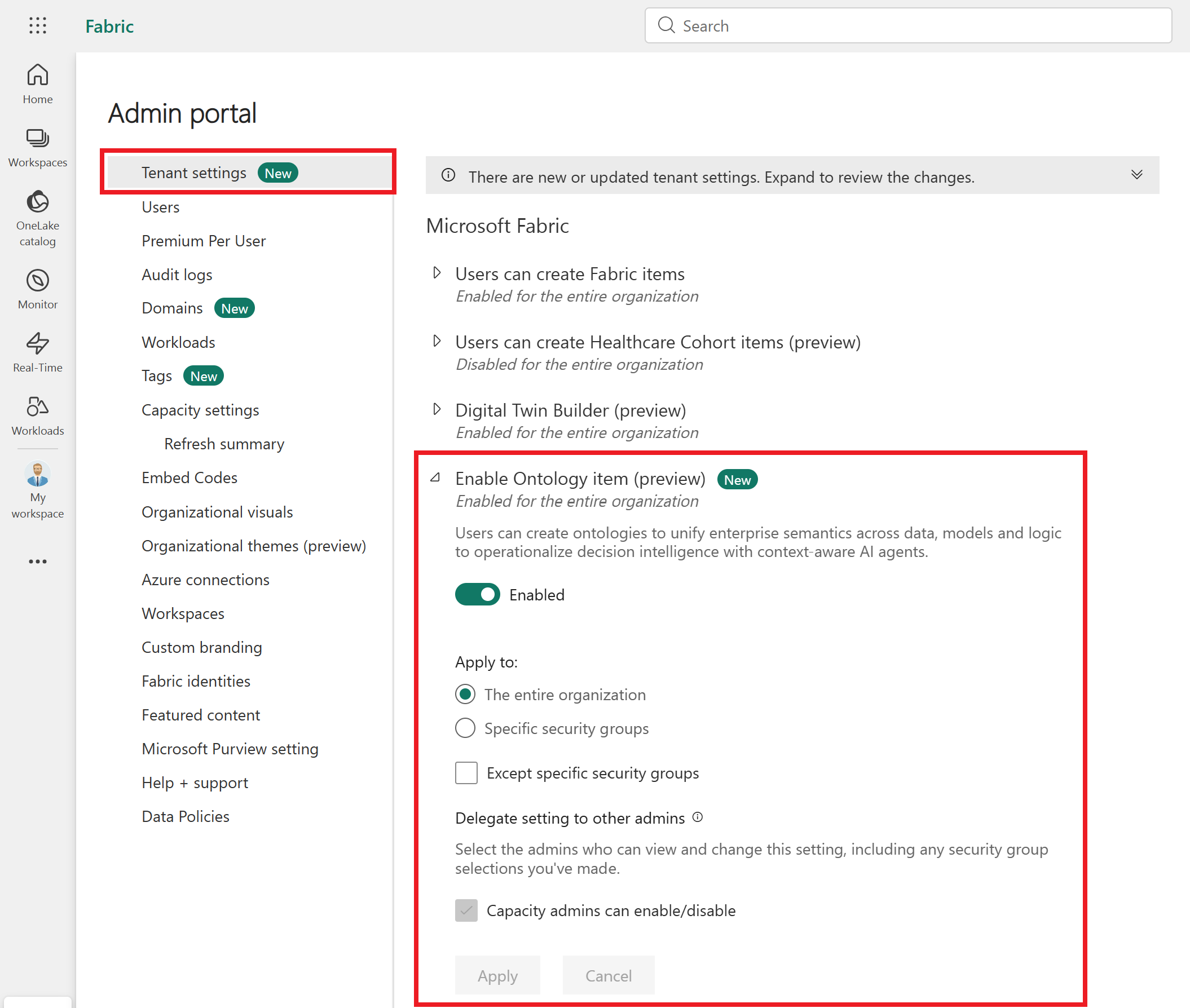
If you don't enable this setting, you get errors when creating a new ontology item.
Data agent tenant settings
If you want to use ontology (preview) with a Fabric data agent, make sure to configure the required Fabric data agent tenant settings.
If you don't enable these settings, you might see errors when creating a new data agent item.
Operations agent tenant settings
If you want to use ontology (preview) with a Fabric operations agent, make sure to configure the tenant settings listed in the Fabric operations agent prerequisites.
If you don't enable these settings, you might see errors when creating a new operations agent item.
Next steps
Now that your tenant is ready to work with ontology (preview), get started with the Ontology (preview) tutorial.